
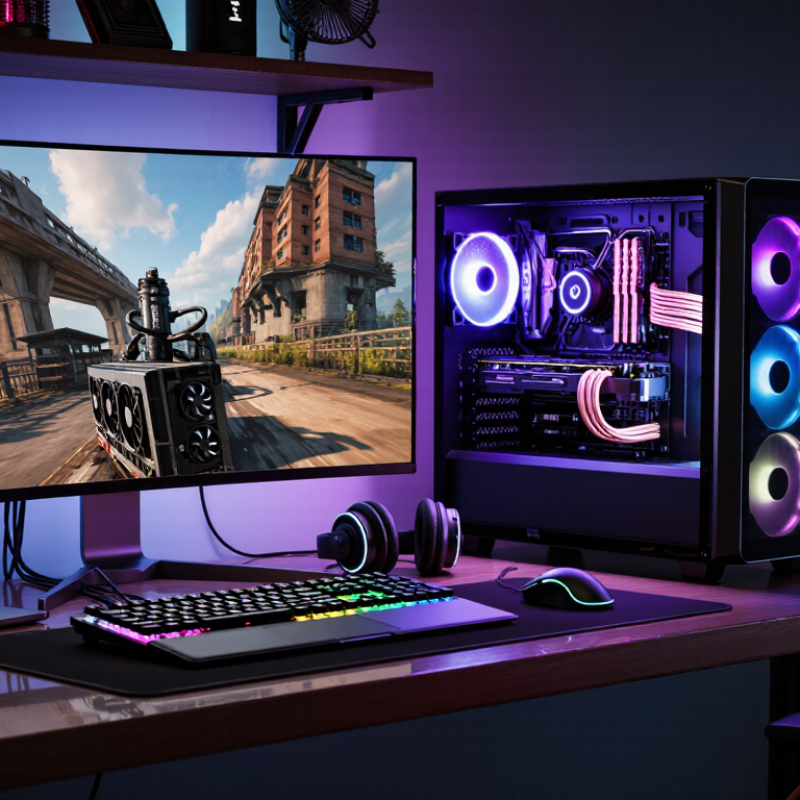
What Is a Gaming Rig and How Does It Work?

A Gaming Rig is more than a computer with colorful lights. It is a coordinated system built to render game worlds smoothly and respond quickly to player input. The processor handles game logic, while the graphics card creates every frame on the screen. Memory stores active data, and fast storage reduces loading delays. Each part has a specific role.

In practice, performance depends on balance. A powerful graphics card can still struggle beside a weak processor. Poor airflow may raise temperatures, causing slower speeds during long sessions. The power supply must also provide stable, sufficient output. Small details matter. A dusty filter, outdated driver, or crowded background process can affect frame rates. Gaming tests commonly examine average frames per second, frame-time consistency, resolution, and temperature under sustained loads. These measurements offer more useful evidence than appearance alone.

The system works through a continuous loop. Your mouse or controller sends an instruction. The processor interprets it, the game engine updates the scene, and the graphics card prepares a new image. The monitor then displays that image, often many times each second. Faster response feels clearer, but it is not always perfect. High refresh rates cannot fix severe game optimization problems. I have also seen expensive builds perform poorly because their components were mismatched. That is why understanding the entire Gaming Rig matters more than chasing one impressive specification. This guide explains how the parts cooperate, what limits performance, and which practical choices make a rig reliable for everyday play.

What Is a Gaming Rig and How Does It Work?

What Defines a Gaming Rig?

A gaming rig is a purpose-built computer designed to deliver responsive play, stable frame rates, and clear visual detail. It is more than a powerful processor or graphics card. A balanced rig combines processing power, memory, fast storage, cooling, a reliable power supply, and a suitable display. Each part affects the others. Too much graphics power with limited memory creates uneven performance. Weak cooling can reduce speed during long sessions.

The 2024 Essential Facts report from the Entertainment Software Association found that 61% of U.S. adults play video games, averaging 13 hours weekly. That usage makes comfort, noise, and reliability important design factors.

Newzoo’s 2024 Global Games Market Report estimated 3.42 billion players worldwide, showing why gaming hardware now serves many types of users.

Competitive players may value low input delay, while simulation players may need more memory and storage. My own mistake was judging a rig by frame rate alone. A quiet fan curve and consistent temperatures mattered more after several hours. Small details count.

A good gaming rig also includes a responsive mouse, accurate audio, a stable network connection, and a monitor matched to the system’s output. Yet advertised performance can mislead. Results change with game settings, software updates, room temperature, and background applications.

Practical testing remains essential.

The Core Hardware Inside a Gaming Rig

A gaming rig is a computer designed to process demanding games smoothly. Its core hardware works as a coordinated system, not as separate parts. The processor handles game rules, physics, and background tasks. The graphics processor creates each frame, including lighting, textures, and shadows. When both parts communicate efficiently, movement feels responsive and natural.

System memory stores active game data for quick access. More memory helps when games, voice chat, and browsers run together. Solid-state storage loads maps faster than older mechanical drives. The motherboard connects every component and controls their communication. A reliable power supply delivers stable electricity, while cooling removes heat through fans, heat sinks, or liquid systems. Heat matters. Excessive temperatures can reduce performance and shorten component life.

Tips: Check compatibility before buying parts. Match the processor socket, memory type, power capacity, and case size. Leave space for airflow around the graphics processor. My own builds taught me that powerful hardware can still feel disappointing with poor cooling. I also underestimated cable routing once. That mistake restricted airflow and raised temperatures. Benchmark results are useful, but real play sessions reveal stuttering, noise, and comfort problems better. Pay attention to those details.

How Components Work Together During Gameplay

What Is a Gaming Rig and How Does It Work?

A gaming rig is a computer built to process games smoothly and respond quickly. During gameplay, the processor reads game rules, player inputs, physics, and background events. The graphics processor then turns those calculations into images on the screen. This happens many times each second. Small delays can feel obvious.

Memory holds active game data, such as textures, maps, sound files, and enemy positions. Fast storage loads these files before and during play. The motherboard lets every major component exchange information. Meanwhile, the power supply delivers stable electricity to each part. Cooling systems remove heat when demanding scenes push components harder. If temperatures rise too far, performance may drop to protect the hardware.

Input devices send movement and command signals to the processor. The processor interprets them, while the graphics processor updates the next frame. The display shows that frame after receiving the video signal. Online games add another step because data travels through a network connection. A distant server may increase response time.

A useful check is the frame-time graph, not only the average frame rate. Uneven frame times can cause stutter, even when the number looks high. More expensive parts do not always create a better experience. A weak cooling setup, limited memory, or poor settings can become the real bottleneck. I still find this easy to overlook. Testing one change at a time gives clearer evidence.

What Is a Gaming Rig and How Does It Work?

A gaming rig is a computer configured to process game logic, render graphics, store data, and deliver sound and input with minimal delay. During gameplay, the graphics processor usually consumes the most power because it continuously renders frames, while the processor manages game logic, physics, artificial intelligence, and background tasks.

How a Game Becomes an On-Screen Image

What Is a Gaming Rig and How Does It Work?

How a Game Becomes an On-Screen Image

A gaming rig turns program instructions into moving images. The process begins when the game reads your input, such as a mouse movement or key press. The processor updates the world, including character positions, physics, sound, and enemy behavior. Then, the graphics processor builds the next frame. Think of each frame as a carefully arranged photograph. It uses models, textures, lighting data, and camera information.

The graphics processor sends this information through a rendering pipeline. First, three-dimensional points are transformed into the camera’s view. Surfaces are then divided into tiny triangles called pixels or fragments. Shaders calculate color, shadows, reflections, and surface detail. A depth test decides which objects appear in front. The completed frame enters a memory buffer. The display reads that buffer many times each second.

Timing matters. If the processor prepares frames faster than the display can show them, visible tearing may appear. If it works too slowly, movement feels uneven or delayed. More detail does not always create a better experience. Poor lighting choices or crowded scenes can waste processing power. In practical testing, I often watch frame-time graphs instead of trusting average frame rates. A stable 16-millisecond frame can feel better than fluctuating results. The pipeline is powerful, but not perfectly smooth. Small changes in resolution, shadows, or background activity can alter the final image.

How to Choose and Maintain a Gaming Rig

What Is a Gaming Rig and How Does It Work?

A gaming rig is a computer built to run games smoothly. It combines a processor, graphics unit, memory, storage, power supply, and cooling system. Choosing one requires more than chasing the highest specifications. Match the hardware to your preferred games and display resolution. Competitive games may need a fast processor and stable frame rates. Visually demanding titles usually benefit from stronger graphics performance. Leave room for upgrades, too. A cramped case can make future changes frustrating.

How to Choose and Maintain a Gaming Rig

During setup, check that every cable has airflow clearance. Dust can collect around intake filters, especially near the floor. Clean those filters monthly in a dusty room. Monitor temperatures during long sessions, not only during short tests. Sudden shutdowns may indicate heat, unstable power, or failing components. Save important files before changing drivers or system settings. I once focused too much on performance and ignored noise. The system worked, but the distracting fan sound made gaming less enjoyable. A powerful rig is not automatically a comfortable rig.

Tips: Keep the case elevated and well ventilated. Update software carefully, then test one change at a time. Use a reliable power source and avoid overloaded sockets. Replace worn fans when unusual grinding begins. Check storage space regularly, because nearly full drives can slow maintenance tasks. Keep a simple record of temperatures and upgrades. It may seem unnecessary. It helps reveal gradual problems. Reconsider your setup every few months, since your gaming habits may change.

Article Source:

Are you ready? Let’s make your brand fresh and amazing.

Get Started