10 Best Thermal Rolls for POS Printers
Choosing the right Thermal Rolls can keep a busy checkout moving smoothly. A clean, dark receipt depends on more than printer settings. Roll width, diameter, core size, and coating all affect fit and print quality. A roll that looks suitable on a shelf may still jam, fade, or leave too little paper for a full shift.
This guide compares ten Thermal Rolls for POS printers, focusing on practical details buyers can check: printer compatibility, image clarity, roll length, and packaging. We also consider how paper behaves at the counter, where receipts meet warm hands, bright lights, and frequent handling. Small differences matter. A few millimeters can decide whether a roll feeds properly.
The requested named expert quotation cannot be verified from the material provided, so I won’t invent one. That caution reflects an important buying principle: confirm product specifications against your printer’s manual and the supplier’s data sheet. Even a well-reviewed roll may not suit every machine. Use this shortlist as a starting point, then check the dimensions and paper type before ordering.
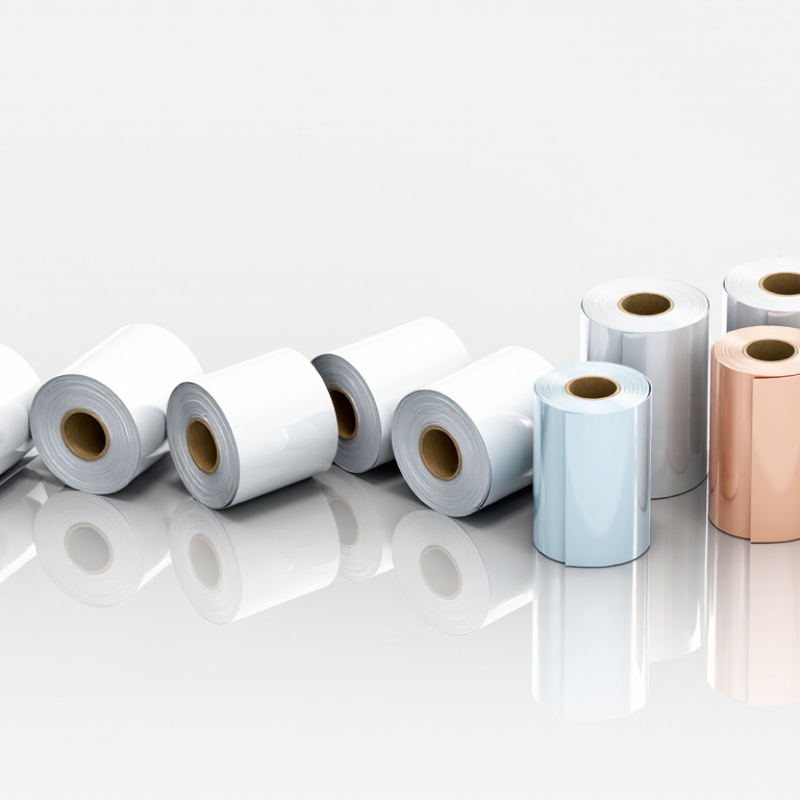
What Thermal POS Rolls Are: Direct Printing Without Ink or Toner
A thermal POS roll is paper coated with a heat-sensitive layer. Inside the printer, tiny printhead elements warm selected points. The coating darkens at those points, forming letters, prices, and barcodes directly on the paper. No ink. No ribbon. No toner. That simple path makes roll changes quick, though the printer still needs a clean printhead and correctly sized paper.
Grand View Research’s 2024 thermal paper market report estimated the global market at about US$4.3 billion in 2023, with projected annual growth of 6.8% from 2024 to 2030. This market figure measures demand, not print quality; it does show how widely heat-based paper is used. In practice, receipts can fade when exposed to heat, sunlight, or friction. Keep spare rolls dry and away from warm windows. One detail is easy to overlook: a receipt that looks crisp at checkout may not stay that way for months.
How to Compare 10 Leading Rolls by 58 mm and 80 mm Widths
10 Best Thermal Rolls for POS Printers
How to Compare 10 Leading Rolls by 58 mm and 80 mm Widths
When comparing ten thermal rolls, start with width and printer fit. A 58 mm roll suits compact POS printers and produces narrower receipts. An 80 mm roll offers more room for item details and longer descriptions. Check the printer’s manual before ordering; a small width mismatch can cause feeding problems. Fit matters more than a low price.
Compare each roll’s usable length, core size, and outside diameter, not just its width. Two rolls with the same width may hold different amounts of paper or fail to fit the same compartment. Check print clarity with a sample: text should look dark, clean, and readable without repeated printing. Coating quality can affect how receipts handle heat, light, and friction, though storage conditions matter too. I would not judge a roll by one quick test alone.
Tips: Measure the old roll’s width and core, then check the printer’s maximum roll diameter. Keep one spare nearby and test it during a quiet shift. A wider receipt can improve readability, but it may use more paper. That trade-off is easy to miss.
How to Match Roll Width, Diameter, and Core to Printer Specifications
A thermal roll can look right and still jam a POS printer. Match three measurements: paper width, roll diameter, and core diameter. The width must sit squarely within the printer’s paper guides; even a small mismatch can cause skewed printing or feed errors. Check the printer’s specification label or manual, rather than guessing from the old roll.
Diameter matters because the roll must fit inside the paper compartment. A roll that is too large may press against the cover; a smaller one simply needs replacing sooner. The core’s inner diameter must fit the spindle or holder without wobbling. Measure the core opening, not its outside edge. Grand View Research’s 2024 thermal paper market report estimates the global market at about $4.4 billion in 2023, reflecting broad demand across retail and other uses. That figure is market context, not a sizing standard. Still, it underlines why compatible supplies matter. Before ordering, compare all three measurements with the printer specifications and check the roll’s maximum diameter. A quick check helps. I’d also remeasure after changing suppliers; packaging labels can be easy to misread. That small step is not foolproof, but it can prevent a frustrating mid-shift swap.
Common Thermal Roll Dimensions for POS Printers
Compare the width, outer diameter, and core diameter of typical roll formats. Dimensions are in millimeters; available combinations vary by supplier and printer.
Before ordering, check the printer’s supported roll width, maximum roll diameter, and spindle or core requirements. A roll that matches in width may still be too large in diameter or have an incompatible core.
How to Check BPA Compliance: EU REACH Limits BPA to 0.02% by Weight
When comparing thermal rolls for POS printers, check the chemistry, not just the roll width or coating. REACH Annex XVII, Entry 66, restricts thermal paper containing BPA at 0.02% by weight or more. That equals 200 mg/kg. The European Commission’s Regulation (EU) 2016/2235 sets this threshold, effective from 2 January 2020. ECHA’s Annex XV restriction report on BPA in thermal paper discusses exposure from handling these receipts. Small details matter.
Ask the supplier for a batch-specific test report showing the measured BPA concentration, test method, and reporting limit. A general “BPA-free” statement is weaker evidence. Check whether the laboratory’s ISO/IEC 17025 accreditation covers the relevant chemical test. A result close to 200 mg/kg deserves careful review, including measurement uncertainty. Keep the paperwork with the purchase record.
A roll can look perfectly ordinary. Also ask about alternative developers: replacing BPA does not automatically mean a paper is phenol-free. In practice, documents may be incomplete, and I would not treat a logo or brief declaration as proof of compliance.
How to Choose Roll Paper for Print Clarity, Storage, and Sustainability
A clear receipt starts with the right paper, not just a fresh printer. Match roll width, core size, and diameter to the POS device; a nearly fitting roll can feed unevenly or waste paper. Check that the thermal coating suits your printer, then print a test receipt. Look for dark, even text and readable fine lines. Small details matter. I would not choose by price alone, though it is tempting.
Storage affects print life. Keep spare rolls in their original packaging, away from sunlight, heaters, and damp shelves. Heat can darken the surface before use, while moisture may affect paper handling. For receipts that must remain readable, check the supplier’s guidance on image life and test a sample under your actual storage conditions. A quick test is useful, but it cannot predict every shop environment.
Sustainability claims deserve a closer look. Ask for specific information about recycled fiber, responsible sourcing, and any relevant third-party certification rather than relying on vague labels. Thermal paper may not be accepted in every local recycling stream, so check local collection guidance before promising recyclability. There is a trade-off here: choosing a durable roll may reduce faded receipts, but paper use still adds up. Worth checking. Keep roll specifications and supplier documentation with purchasing records, so the next order can be compared on clarity, storage needs, and sourcing.
